
How to create tdevs on vmax using SMC
Creating TDEVs (thin devices) on VMAX using symmetrix management console(SMC)
Please ensure that subscription do not exceed 150% under any circumstances!
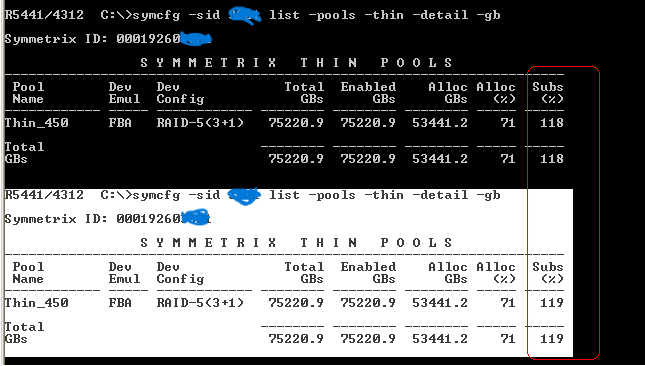
symcfg -sid xxxx list -pools -thin -detail -gb

Symmetrix ID: 00019260xxxx

                 S Y M M E T R I X   T H I N   P O O L S
----------------------------------------------------------------------
 Pool        Dev   Dev             Total  Enabled    Alloc Alloc  Subs
 Name        Emul  Config            GBs      GBs      GBs   (%)   (%)
------------ ----- ------------ -------- -------- -------- ----- -----
Thin_450     FBA   RAID-5(3+1)   75220.9  75220.9  58194.6    77   119

Total                           -------- -------- -------- ----- -----
GBs                              75220.9  75220.9  58194.6    77   119
Once we validate the above step, we will proceed to create TDEV’s as per requirement
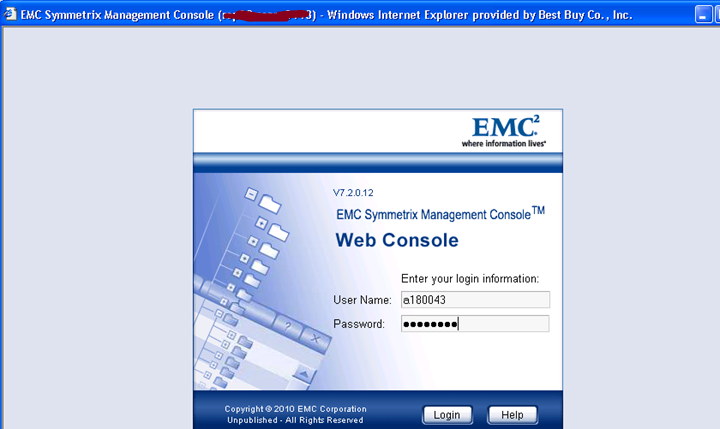
Please login into SMC using your credentials
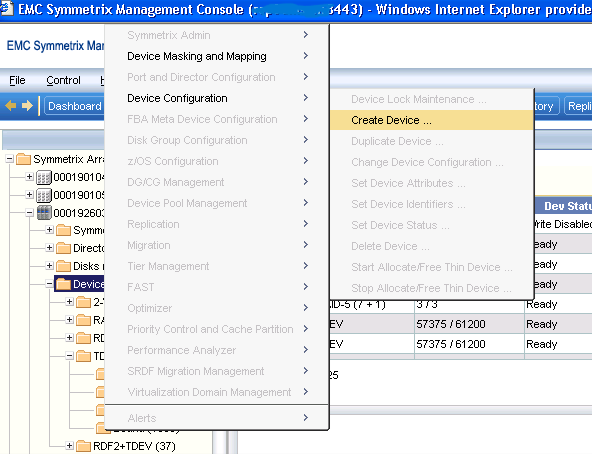
Expand the array –> Right click on Devices folder –> Device Configuration –> Create Device
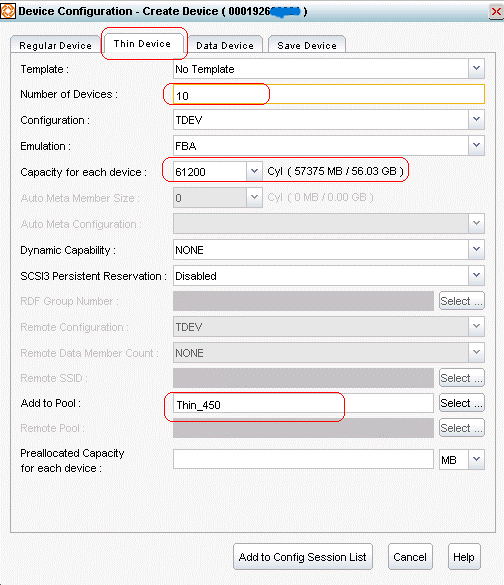
You will now reach below screenshot, please move to Thin Devices tab, and choose the ones marked in red – leave the
default options as it is. Provide number of devices you want to create, capacity for each device in cylinders (ex: 61200 Cyl for 56 GB), add to thin pool.
Please do not pre-allocate anything – this pre-populates pages in the thin volume. It is done if performance would be impacted to allow the array to do it as the volume fills. Please do not pre-populate unless exceptional circumstances exist.
Once done with this step – Add to Config Session List – Once you add it to the session list – preview and then commit – it will create the TDEV’s. Please see the below three screenshots.
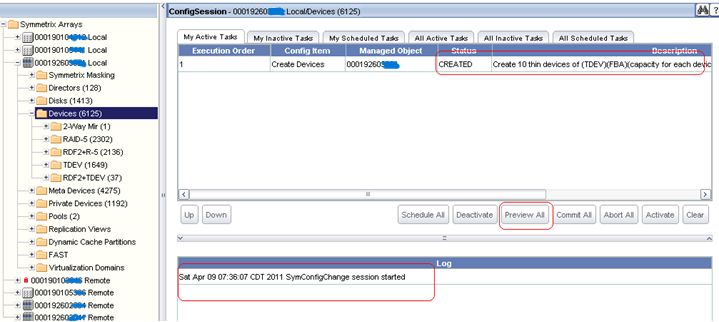
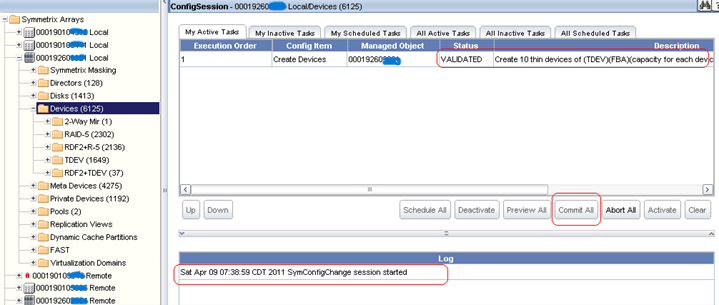
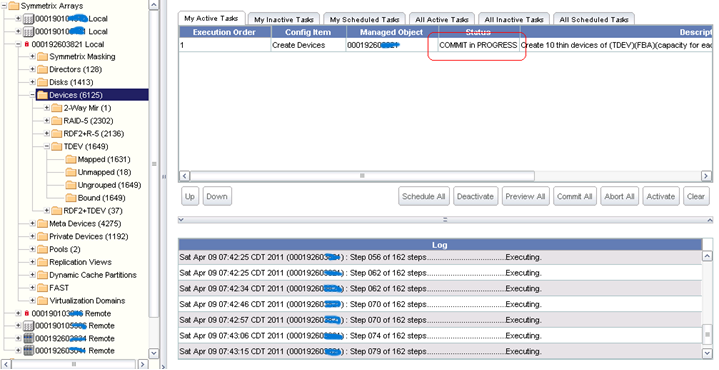
The below screenshot shows it committed successfully and with no pending tasks.

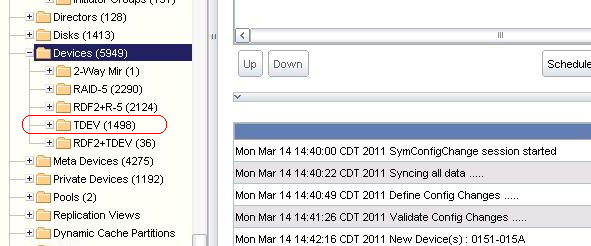
To validate successful creation of TDEV’s.
Compare the values before and after creation on devices folder – Please see the below two screenshots.
Just FYI – The devices pick device numbers based on open slots and the number of devices created in the session. If you create 12 devices and there are only 8 “gaps” in the slots, it will create them on the top end of the address range. If you create 8 – it would fill the gaps, then you could create the other 4 at the top of the range.
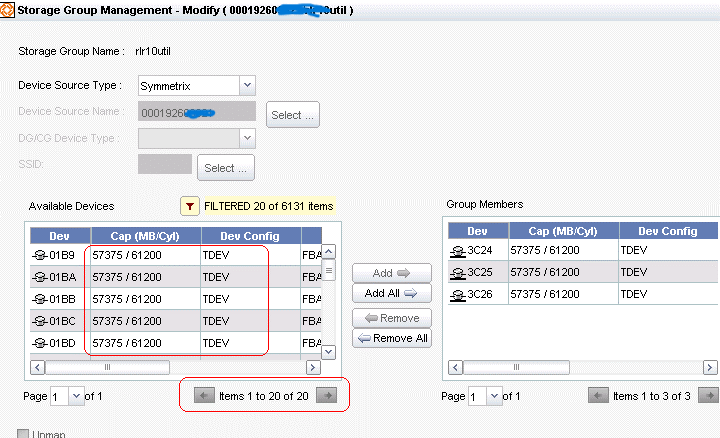
Can also be validated from choosing a server and going to modify devices.
This completes creation of TDEVs on V-max.